From inbox to profit, in five steps.
Set it up once in about ten minutes. After that, Flipdesk keeps your records up to date as you buy and sell.
- Step 1
Connect your email
Add the inbox your orders go to. Flipdesk only reads shopping, delivery and marketplace emails, and you can disconnect it at any time.
Connect an inboxGmailOutlookiCloud MailOther (IMAP)Uses an app password you can remove any time. Only shopping, delivery and marketplace emails are read. - Step 2
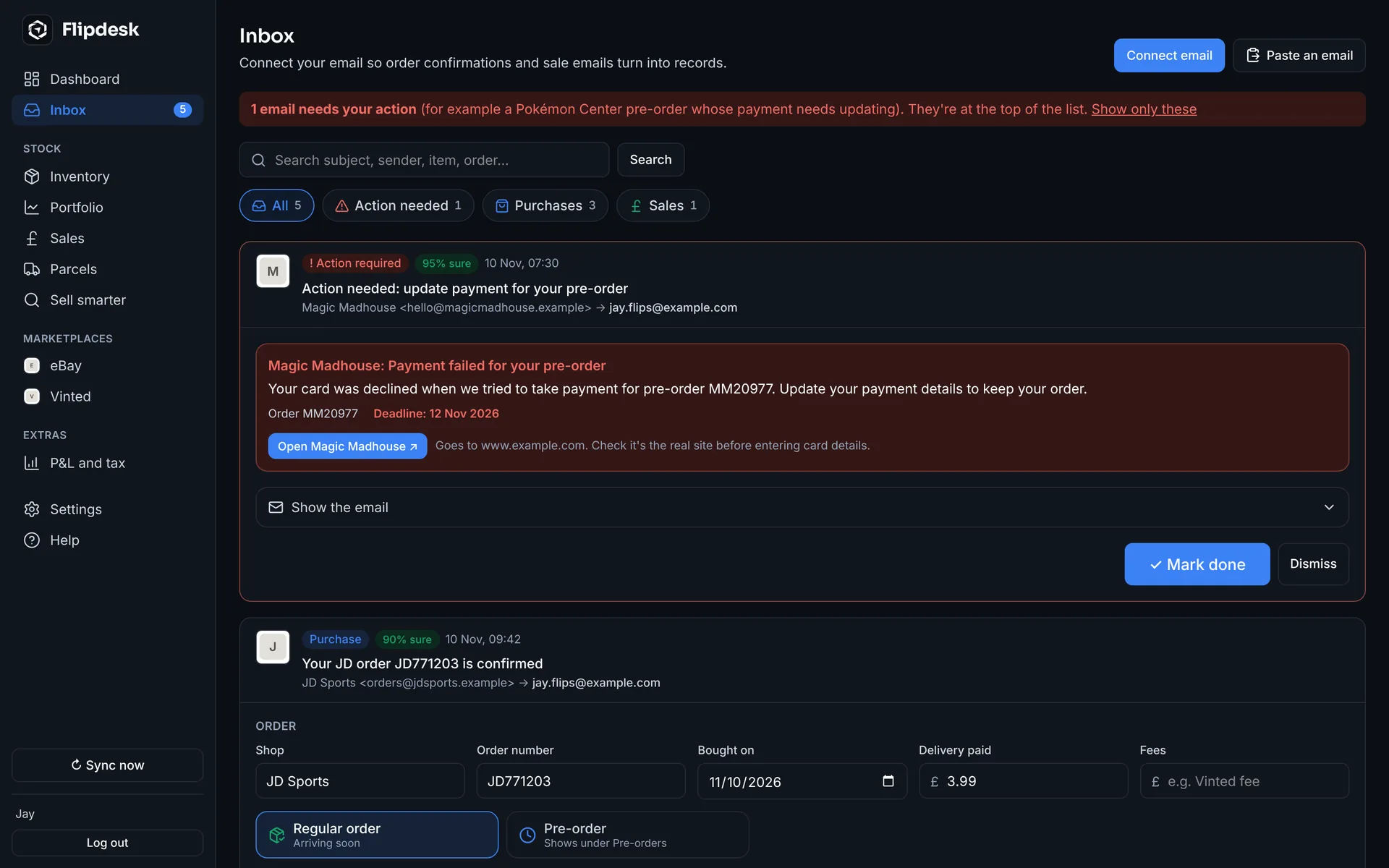
Capture purchases
Order confirmations turn into stock with their costs, delivery and photos. Anything it isn't sure about waits in your Inbox for a quick check.
- Step 3
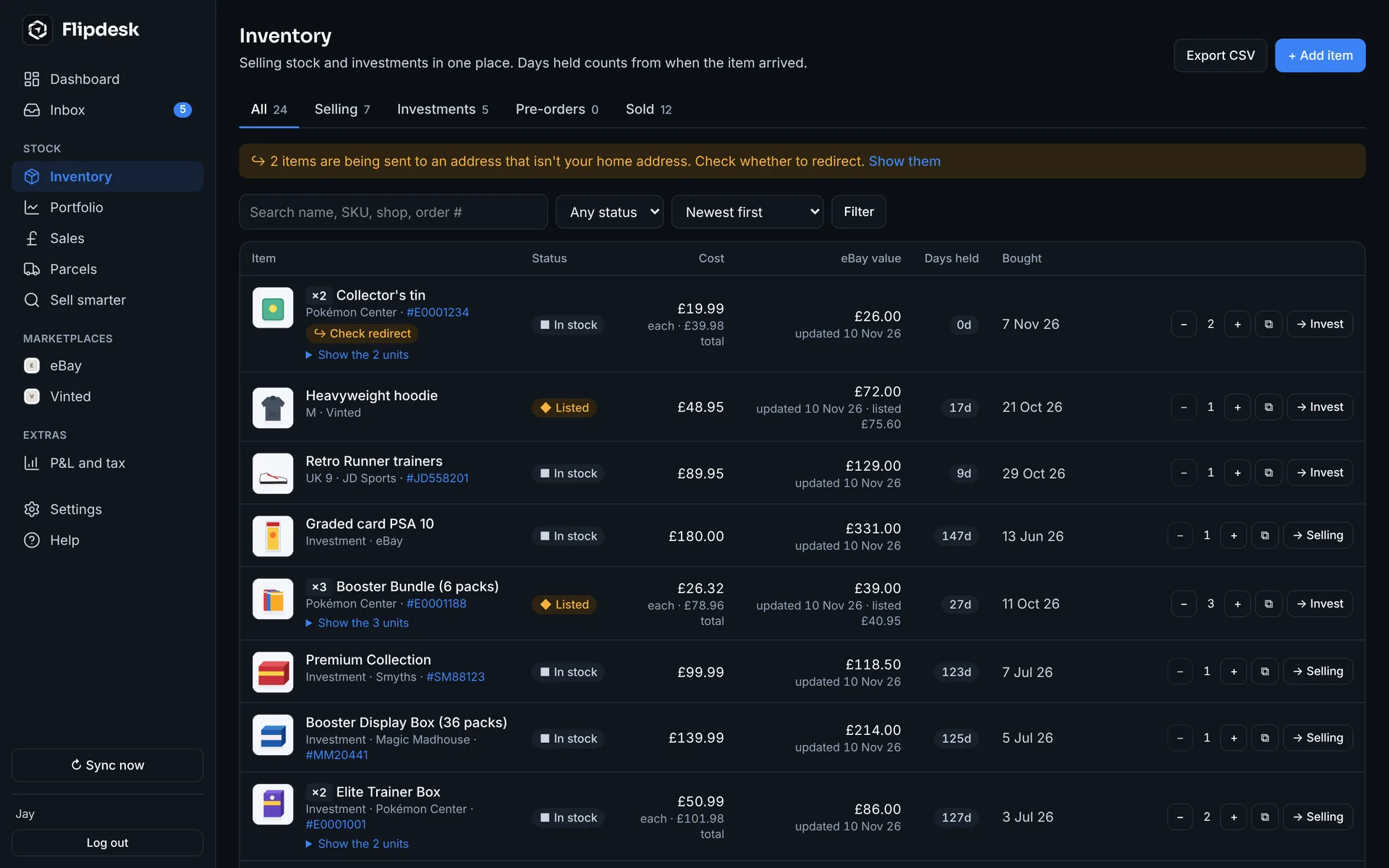
Match your inventory
Items group themselves by order. Change quantities, mark pre-orders, move things to investments, all from one screen.
- Step 4
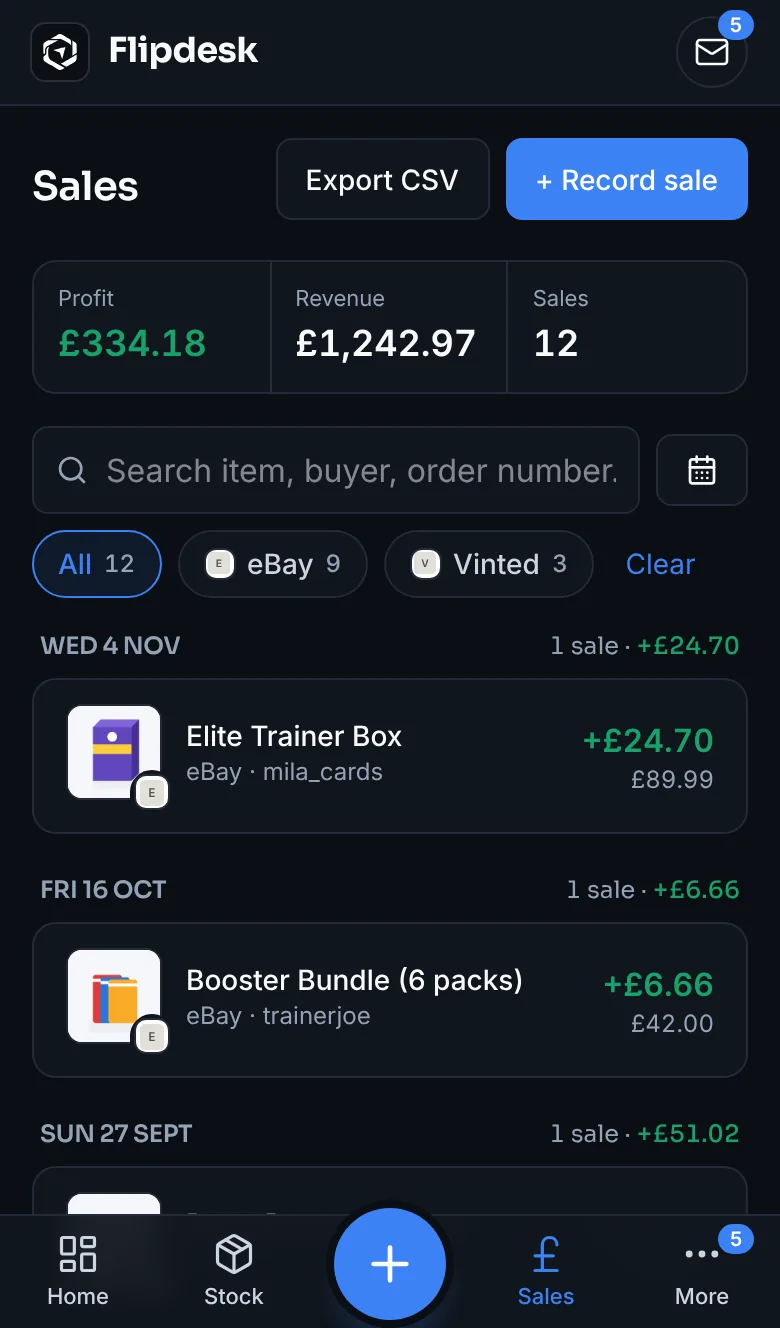
Record sales
Connect eBay and your sales arrive with eBay's real fees. Vinted sales come from their emails. Link each sale to the items in it.
- Step 5
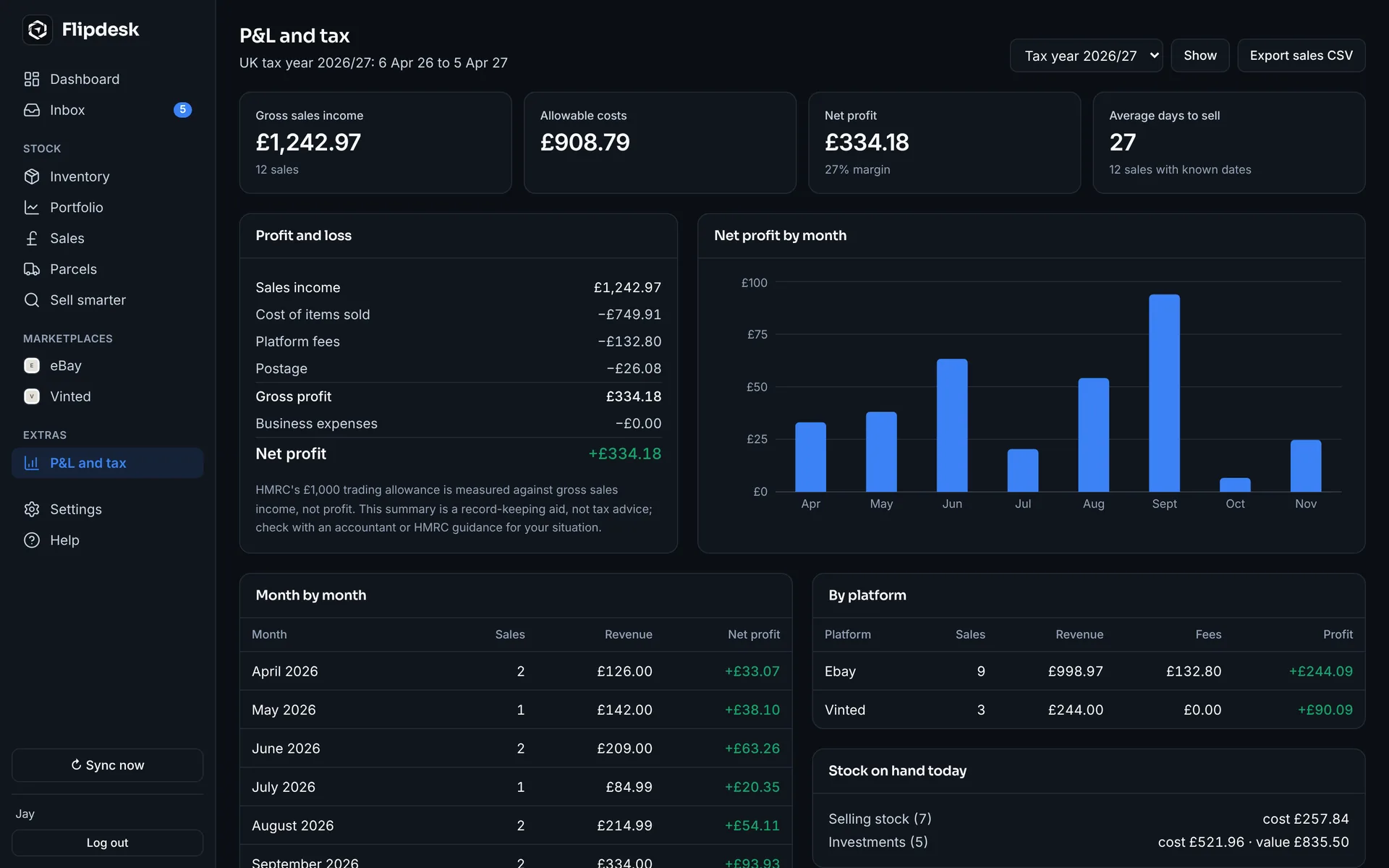
See your profit
Profit after every fee, cost and postage label, by month and tax year, plus what the stock you're holding is worth today.
Your reselling business. Finally under control.
Connect your inbox and eBay in a few minutes. Try everything free for 7 days.